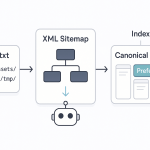








Understanding Canonical Tags and Their Role in SEO
Canonical tags are HTML elements that tell search engines which version of a webpage is the primary or preferred one when multiple pages have similar or identical content. For dentists, this is especially important when you have multiple pages for services, location pages, or duplicate content caused by website structure. Proper use of canonical tags ensures that search engines index the correct page and consolidate SEO signals like link equity, preventing dilution of rankings and avoiding confusion over duplicate content issues.
Common Duplicate Content Problems for Dental Websites
Duplicate content issues often arise from several common scenarios, such as:
- Multiple location pages with similar content for different neighborhoods.
- Printer-friendly versions of pages or mobile versions that duplicate desktop content.
- Copying content from other websites or slight variations of the same page.
- Unintentional duplicate URLs caused by URL parameters or session IDs.
How Duplicate Content Affects Your SEO Rankings
Search engines aim to provide users with the most relevant and unique results. When duplicate content exists, search engines may struggle to decide which version to index, often resulting in lower rankings or ignoring certain pages altogether. This reduces your site’s visibility, limits traffic, and diminishes your chances of attracting new patients. Proper management of duplicate content through canonical tags and content optimization is vital for maintaining a strong SEO presence.
How to Identify Duplicate Content Issues
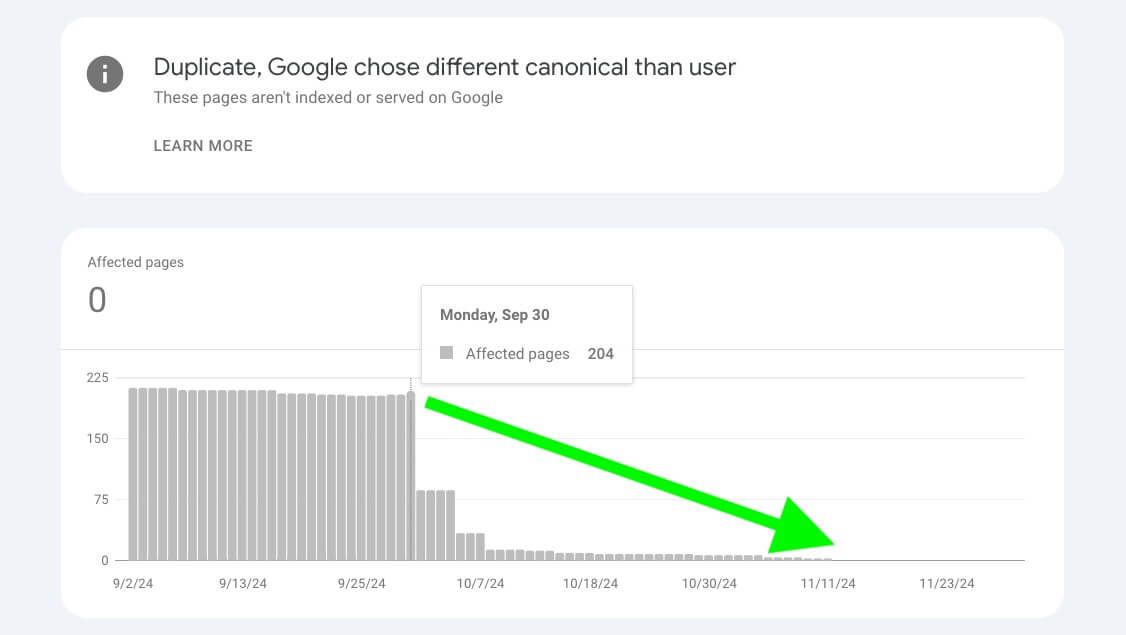
Use SEO tools like Google Search Console, SEMrush, or Ahrefs to detect duplicate content problems. These tools highlight pages with similar or identical content, duplicate meta descriptions, or conflicting canonical tags. Regular audits help you identify and fix issues early, ensuring your website remains optimized and your SEO signals are concentrated on the right pages.
Strategies to Fix Canonical and Duplicate Content Problems
To resolve duplicate content issues, implement the following strategies:
- Use canonical tags on duplicate or similar pages to specify the preferred version.
- Consolidate similar pages into a single, comprehensive page if appropriate.
- Ensure unique, descriptive meta titles and descriptions for each page.
- Implement URL parameters correctly with canonical tags or parameter handling in Google Search Console.
- Regularly audit your website to detect and fix new issues as they arise.
Best Practices for Avoiding Duplicate Content
Avoid creating duplicate content by developing unique, high-quality content for each service and location page. Use descriptive URLs and avoid unnecessary parameters. Always specify canonical URLs where duplicate content is unavoidable, and keep your website structure clean and logical. Consistently monitor your site’s content to prevent duplication issues from affecting your rankings and ensure your practice remains visible in local search results.